Vector

How Do You Buy a Match in Tunnel?

(Beta Version Tutorial)

Step 1

Go to Tunnel

Click the link below to open Tunnel and start exploring available matches.

Step 2

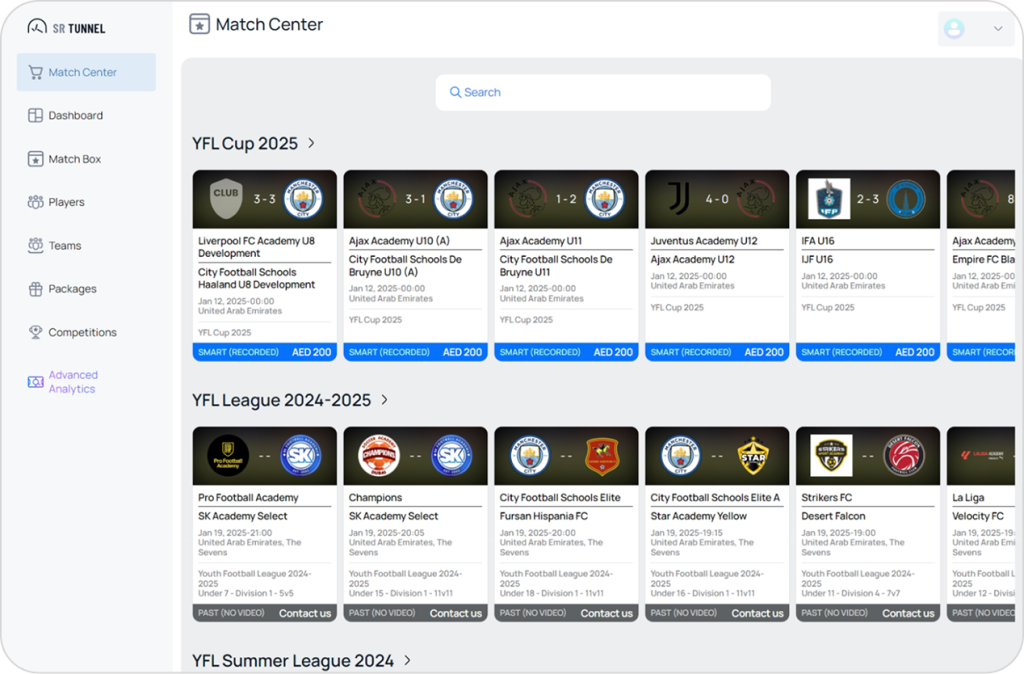
Explore Categories

Matches are organized into categories with horizontal scrolling. You can:

  • Browse different match categories.
  • Tap a category name to view all matches in category.


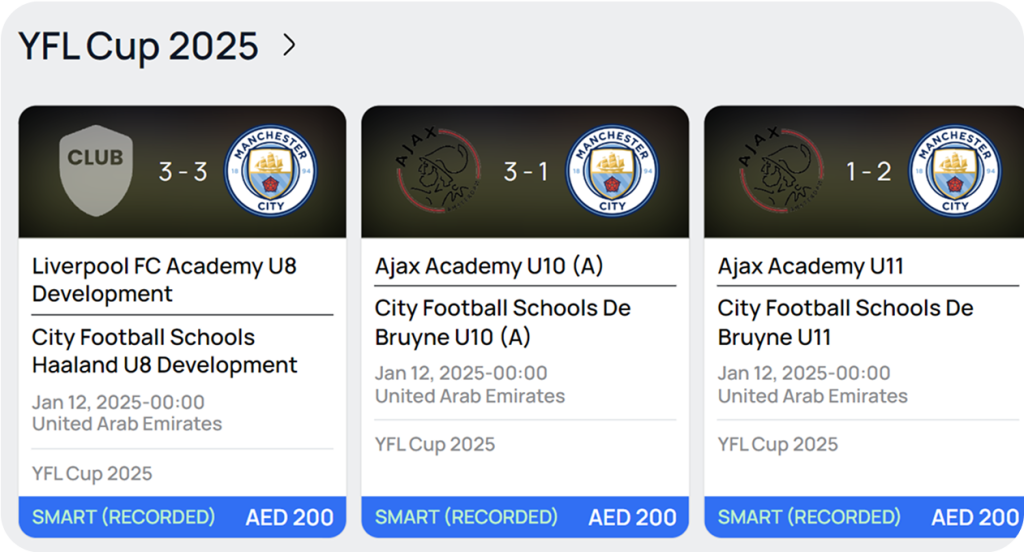
Each match card shows:

  • Club logos and results (if available).
  • Club names (home team on top, away team below).
  • Date, time, and location of the match.
  • Competition details (league or event name).


Match status:

  • Blue – Smart (Recorded): Pre-match services unavailable. You can buy post-match services like full match video or moments.
  • Light Green – Upcoming: Match is not yet recorded. You can order a cameraman (video recording service).
  • Dark Green – Upcoming (Sold): Recording has been ordered. You can buy post-match services.
  • Gray – Past (No Video): No footage available. If you own the video, contact us to sell it in Tunnel.

Step 3

Select a Match

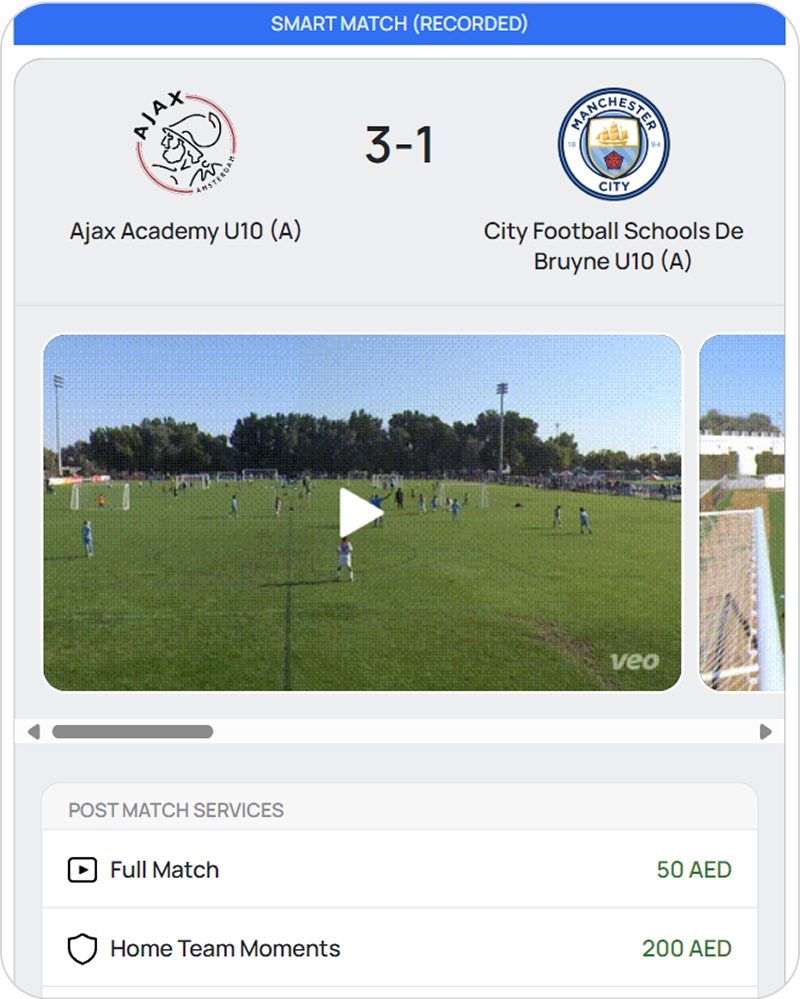
Tap on a match card to open the match page.

In match page:

  • Preview of moments from the match (if available).
  • Services you can buy, including pre-match and post-match options with pricing.
  • Match details, including date, time, and location.
  • Match stats (if available).

Step 4

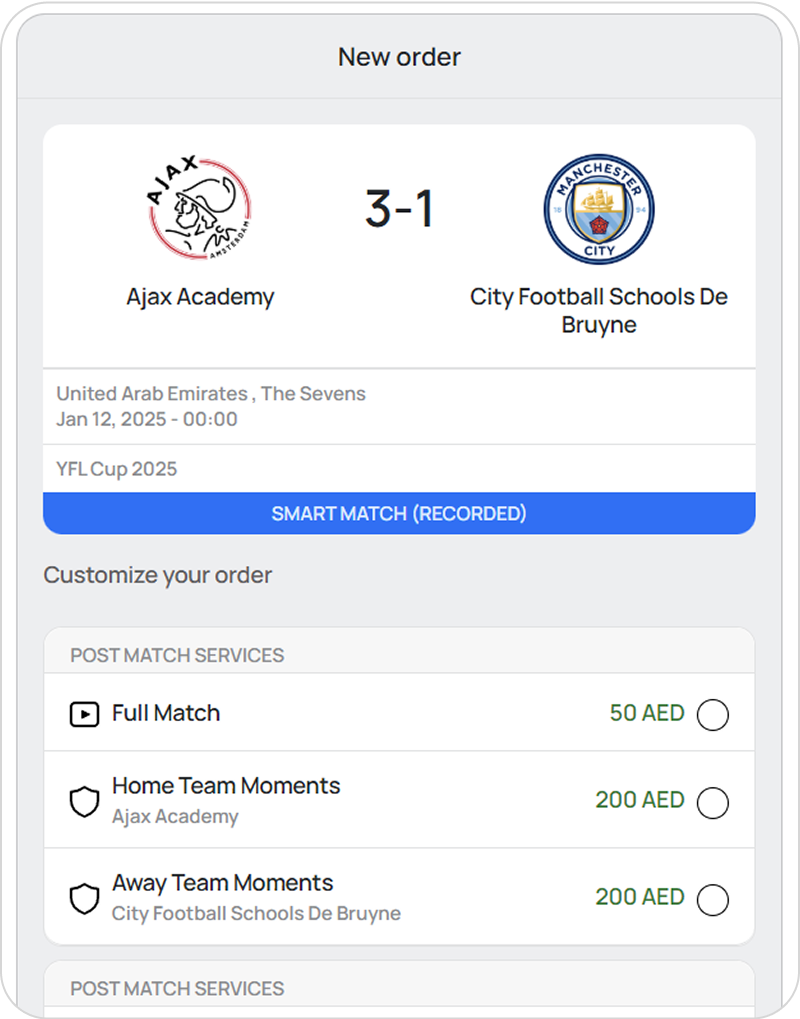
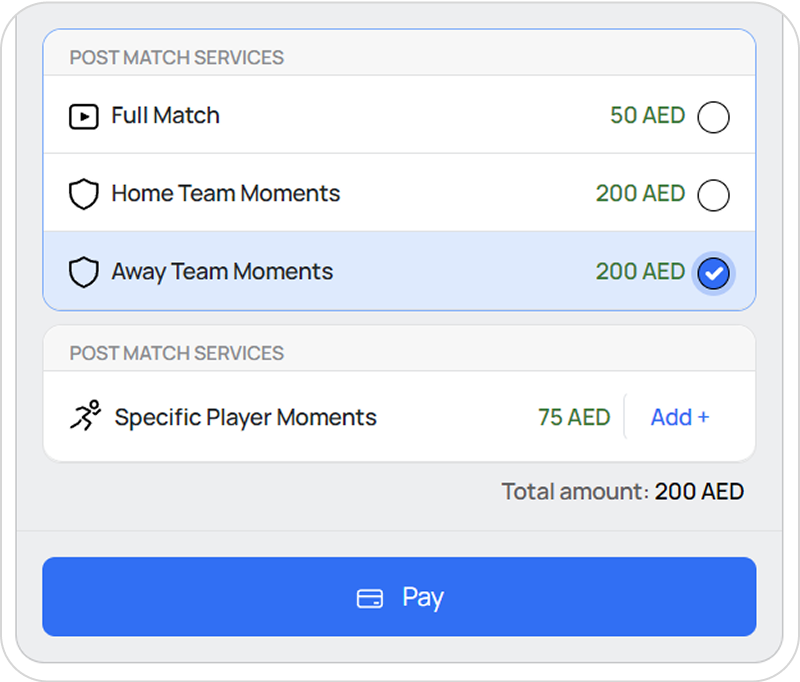
Choose Services & Place Your Order

Tap “Continue to Buy” to proceed to the order page.
You must log in or create an account to complete your order.

In order page:

Pre-match service:

  • Order a cameraman (available only for upcoming matches)

Post-match services:

  • Full match video.
  • Team moments (for each team).
  • Specific player moments (choose players to get their moments).

Step 5

Confirm & Pay

After selecting your services, tap “Pay” to complete your purchase.

Step 6

After Payment

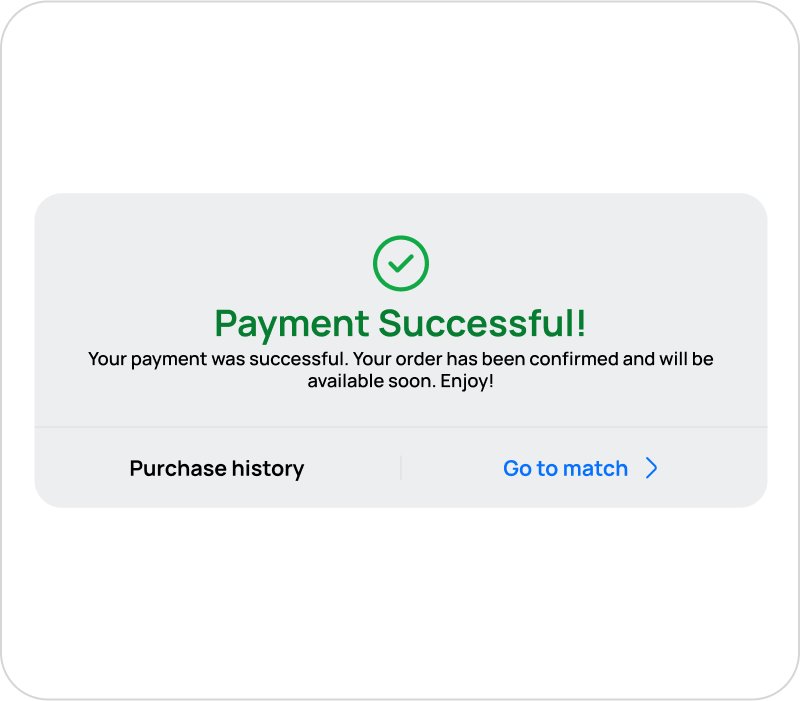
Once the payment is successful, a confirmation modal appears with two options:

Purchase History” → View all your purchases in your account.
Go to Match” → Access the match page and use your purchased services.

Step 7

You’re in the Tunnel, enjoy :)​